AI graphic design: what works and what to watch out for
AI graphic design works well for simple print jobs such as flyers, posters, vouchers and social posts, provided you read every word, phone number and address yourself before it goes to print. A print-ready file should be the trimmed size plus 3 mm bleed on every side, with important content at least 3–5 mm inside the trim line, a resolution of around 300 DPI for small formats viewed up close, and no text smaller than 6–7 pt. If you need a logo you plan to register, an extensive menu or a label with legal requirements, a designer is the better choice.
AI can produce a flyer or poster design in a few minutes that once took several days of back-and-forth with a designer. The catch is that the machine has no idea whether your phone number is correct, whether ten sentences will actually fit on a banner, or whether the artwork looks a little too much like someone else's logo. This guide explains where AI genuinely helps with printed advertising, how to write a brief that gets good results, and what to check before your file goes to the printer.
What is AI good for in printed advertising?
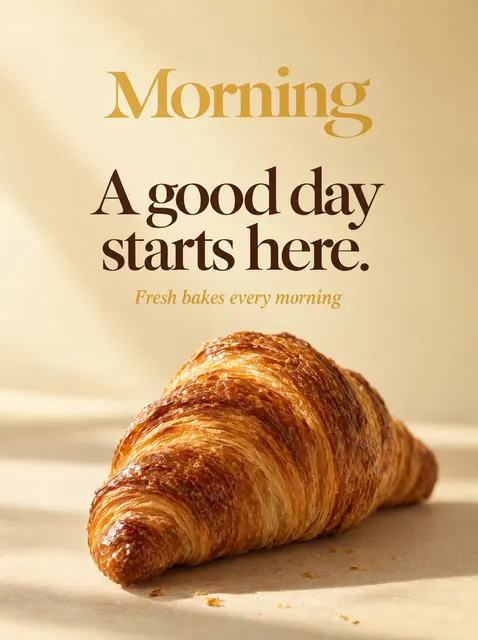
AI copes best with designs where mood, colour and a single strong message matter most: a promotional flyer, an event poster, a greetings card, a voucher, a social media post. The less text and the simpler the layout, the better the chance of a finished design that needs no corrections.
It is weaker where precision counts: long price lists, tables, labels with mandatory information, die-cut print or a logo that has to work for years at many different sizes. In these cases AI can give you a starting point, but the final file usually needs a human touch.
| Product | How well AI copes | What to watch |
|---|---|---|
| A5, A6 or DL flyer | Very well | Amount of text, accuracy of contact details |
| A3–A1 poster | Very well | Headline legibility from a distance |
| Business card 85×55 mm (or 90×50 mm) | Well | Small text, margin at the trim |
| Voucher, invitation, card | Very well | Dates, times, amounts |
| Roll-up banner, banner | Well | File scale, resolution, legibility from afar |
| Menu, price list | Fair | Long lists of items and prices |
| Product label | Fair | Legally required information, cutter shape |
| Logo | Well, as inspiration | Vector format, resemblance to other marks |
How do you write a good brief for AI graphic design?
A brief is a few sentences explaining what you want, who it is for and what it should say. A vague "make a nice flyer for my business" produces a random result, whereas a specific description with style, colours and a content hierarchy gives you a design close to what you have in mind.
Supply the text exactly as it should appear in print, including capitals, accents and special characters, and the format of your phone number. Separate what matters most (headline, offer) from secondary information (address, opening hours).
- Product and format, e.g. portrait A5 flyer, A2 poster, 85×200 cm roll-up banner.
- Goal: what the reader should do after seeing it (phone, visit, scan a code).
- Headline: ideally 3–7 words, one idea.
- Supporting text: a few short points at most.
- Contact details copied out in full, with no abbreviations or typos.
- Style: e.g. minimalist, elegant, rustic, modern, with an illustration or a photo.
- Colours: brand colours or a mood (warm, pastel, high-contrast).
- What you don't want: e.g. no photos of people, no gold, no decorative typefaces.
- A good-quality logo, ideally vector (SVG, PDF) or a PNG with a transparent background.
Typos and garbled text: AI's biggest weakness
Image generators often treat letters as part of the picture rather than as text. The result is transposed letters, missing or mangled accents and apostrophes, duplicated words or altered digits in a phone number. Even tools that check lettering automatically cannot replace your own proofreading, because they have no way of knowing whether the number or address is real.
Read the design slowly, ideally aloud, word by word. Check every figure separately: phone number, postcode, prices, dates, times, discount percentages. It is good practice to show the design to someone else who doesn't know the content and won't read it "from memory".
- Phone number: ring it from the design, not from memory.
- Website and email address: type them into a browser or email client by hand.
- QR code: scan it with your phone before printing.
- Accents, apostrophes and special characters: especially in headlines set in capitals.
- Dates and days of the week: check they match the calendar.
Too much text: how to cut down the copy
The most common mistake in briefs is trying to fit a company's entire offer onto a single flyer or banner. AI will dutifully squeeze everything in, but it will shrink the lettering and cram the layout, and the print stops working. Printed advertising has a few seconds to grab attention, so one headline, one offer and contact details are usually plenty.
How much text you can use depends on the distance from which the print will be read. You hold a flyer in your hand, so it can carry more information. A banner on a fence or a roll-up is seen from several metres away, so a large headline and strong contrast are what count. As a rough guide, allow at least 0.5–1 cm of letter height for every metre of viewing distance, and more still with weak contrast or a thin typeface.
- A5 flyer: headline, 3–5 offer points, contact details.
- A2–A1 poster: headline legible from several metres, date and venue, 2–3 short sentences at most.
- 85×200 cm roll-up banner: logo and headline at the top, artwork in the middle; the bottom is usually hidden by people or the base cassette.
- 300×100 cm banner: name, one service or offer, phone number or website.
- Business card: name, job title, phone, email and, if needed, website.
Copyright and trade marks in AI designs
Before using AI-generated artwork in advertising, check the terms of the tool that produced it, as these determine whether you may use it commercially. The rules vary between services, and some free plans restrict commercial use.
Don't ask AI for a design "in the style of" a particular brand, and don't include other companies' logos, cartoon characters or images of famous people. If the artwork happens to resemble someone else's trade mark, change it before you print the run. Bear in mind, too, that legal protection for artwork you generate yourself may be weaker than for a design created by a person, which matters particularly for a logo you intend to register.
Checking the file before print: technical specifications
A nice image on screen is not yet a print-ready file. The printer needs the correct size, bleed, margins and sufficient resolution. AI artwork is usually created in RGB, while printing is done in CMYK, so highly saturated colours (neon pink, vivid blue, bright green) may come out darker or duller once printed.
For large formats, printers often accept files at 1:10 scale. The resolution then has to be correspondingly higher: a file for an 85×200 cm roll-up at 1:10 scale measures 85×200 mm, and its images should have roughly 10 times the resolution required at 1:1.
| Parameter | Recommended value | Notes |
|---|---|---|
| Bleed | 3 mm on every side | Backgrounds and photos must extend beyond the trim line |
| Safety margin | 3–5 mm inside the trim line | At least 3 mm on business cards, more on roll-ups |
| Resolution, small formats | approx. 300 DPI at 1:1 | Flyers, business cards, posters up to A3 |
| Resolution, large format | approx. 100–150 DPI at 1:1 | Roll-ups and banners viewed from a distance |
| Smallest text | 6–7 pt, ideally 8–9 pt on flyers | Thin typefaces need a larger point size |
| Finest line | approx. 0.25 pt | Thinner lines may disappear in print |
| Colour | CMYK | Watch out for highly saturated RGB colours |
| File format | Print-ready PDF | PNG for previews or online use |
When is a designer a better choice than AI?
AI is quick and inexpensive for one-off promotional print. A designer has the edge when the design has to meet technical or legal requirements, contains a lot of text or needs to be part of a consistent brand identity. A person asks questions that AI won't, such as where the roll-up will stand and what the lighting is like on the premises.
A sensible approach is a mix: AI for quick concepts and testing a direction, a designer to refine anything meant to last. This is how plakaty.shop (wielkareklama.eu studio) works, for example, offering AI concept packages from €12 alongside a "Design with a designer" package for €165, which includes one round of revisions.
- A logo you want to register as a trade mark.
- A menu or price list with dozens of items.
- A product label with mandatory ingredients, warnings or symbols.
- Print with die-cutting, spot varnish, foiling or embossing.
- A series of materials that must look consistent (flyer, business card, roll-up, shop sign).
- A design requiring brand colours to be matched exactly in a colour-matching system.
Checklist
- I've read every line aloud, including the small print
- I've checked the phone number, address, email and website
- I've scanned the QR code with my phone
- Prices, dates and times match the offer
- The file is the trimmed size plus 3 mm bleed
- Important content sits at least 3–5 mm inside the trim line
- The resolution suits the format and the file scale
- The artwork contains no third-party logos or famous characters
- I've saved the print file as a PDF
FAQs
Is an AI graphic design suitable for print?
Yes, as long as the file is the correct size, has 3 mm bleed and a safety margin, and has sufficient resolution, usually around 300 DPI for small formats. An image generated in a chat often doesn't meet these requirements, so it's best to use tools or services that produce a print-ready PDF. Always check all the text as well.
Why does AI make typos in text on images?
Many image generators draw letters as shapes rather than typing text as an editor would. That's why you get transposed letters, missing accents or altered digits. You need to read every word, number and address yourself before printing.
Can I use AI artwork in commercial advertising?
That depends on the terms of the tool used to create it, as licences vary between services. Regardless, don't include other companies' logos, famous characters or people's likenesses without permission. For a logo you intend to register as a trade mark, it's better to work with a designer.
How much text will fit on an A5 flyer?
Technically a lot, but an effective A5 flyer is usually a headline, 3–5 short offer points and contact details. Body text shouldn't be smaller than 8–9 pt, and the finest details no smaller than 6–7 pt. Anything more is better moved to the reverse side or to your website.
How do I write a prompt for a flyer design?
State the format, goal, headline, exact copy, style, colours and anything you don't want. Type the copy exactly as it should be printed, with correct accents and special characters and the right phone number. Attach a good-quality logo, ideally in vector format.
What resolution do I need to print a roll-up banner?
For a roll-up viewed from several metres away, around 100–150 DPI at 1:1 is usually enough. If the printer accepts the file at 1:10 scale, the images in the file need roughly 10 times that resolution. Always confirm the exact requirements with your printer.